Search engine optimization (SEO) has become an increasingly data-driven process, requiring specialized tools like SEMrush to bring the best possible results for brands. But with the wide range of features they offer, many people, especially beginners, often have a hard time navigating how to use SEMrush for SEO.In this article, MKT Software will explain and guide you through a simple workflow using SEMrush to help optimize your SEO strategy.
SEMrush is an all-in-one digital marketing platform designed to improve online visibility through a large set of features focusing on various digital marketing areas like SEO, Ads, and more.What makes SEMrush particularly valuable is its ability to combine multiple features into a single ecosystem, allowing users to manage the entire SEO process from one dashboard.SEMrush is an all-in-one digital marketing platform
What are the benefits of SEMrush for SEO?
SEMrush delivers value in SEO not only through the number of features it offers, but also in how those features work together to support a complete strategy. To look at this in more detail, below are the key benefits SEMrush’s SEO benefits:
Comprehensive keyword research: SEMrush allows users to identify high-potential keywords based on specified requirements, like traffic, intent,…
Advanced competitor analysis: SEMrush can provide detailed insights into competitor performance, thus allowing brands to identify opportunities and gaps in their strategy.
Technical SEO auditing: SEMrush offers a tool that scans your website for technical issues to help improve both user experience and search rankings.
Accurate rank tracking: SEMrush helps you monitor how your website ranks for specific keywords over time.
Backlink analysis: SEMrush helps you analyze your and the competitors’ backlink profile to identify new link-building opportunities.
Content optimization: The platform offers specialized recommendations to improve the quality of brand’s content strategies.
Time efficiency: By combining multiple tools into one platform, SEMrush reduces the need to switch between different systems, which makes the entire SEO process more efficient and easier to manage.
Now that we understand how SEMrush can support SEO, the next section will walk you through a simple and efficient workflow using SEMrush to help improve your SEO performance.SEMrush is an extremely powerful SEO tools
How to use SEMrush for SEO
To use SEMrush effectively, it is important to follow a structured workflow. Rather than using each SEMrush features in isolation, the steps below show how to connect them into a cohesive SEO process:
Step 1: Set up your project and run a site audit
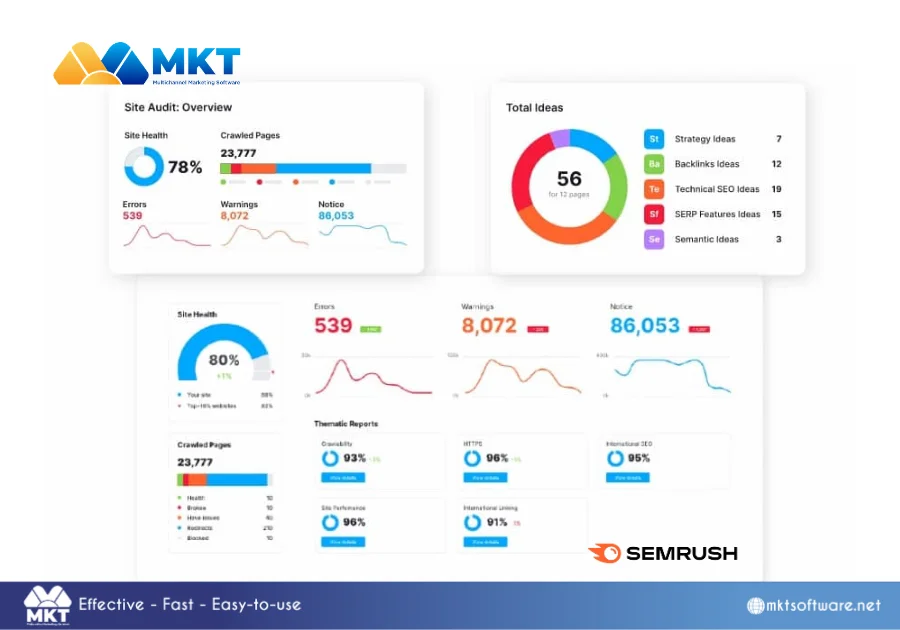
The first step is to create a SEMrush account and start your first project file, then configure it to your desired domain. By inputting your domain name into SEMrush, the platform will crawl and gather your site’s data.Once your project is created, you should immediately run a Site Audit and Domain Overview test. The Site Audit process crawls your website in a similar way to search engine bots and identifies technical issues that may affect your rankings. These issues typically fall into 3 categories that include:
Errors: Critical problems such as broken links, crawl failures, or missing tags.
Warnings: Moderate issues like duplicate content or missing metadata.
Notices: Minor improvements related to optimization.
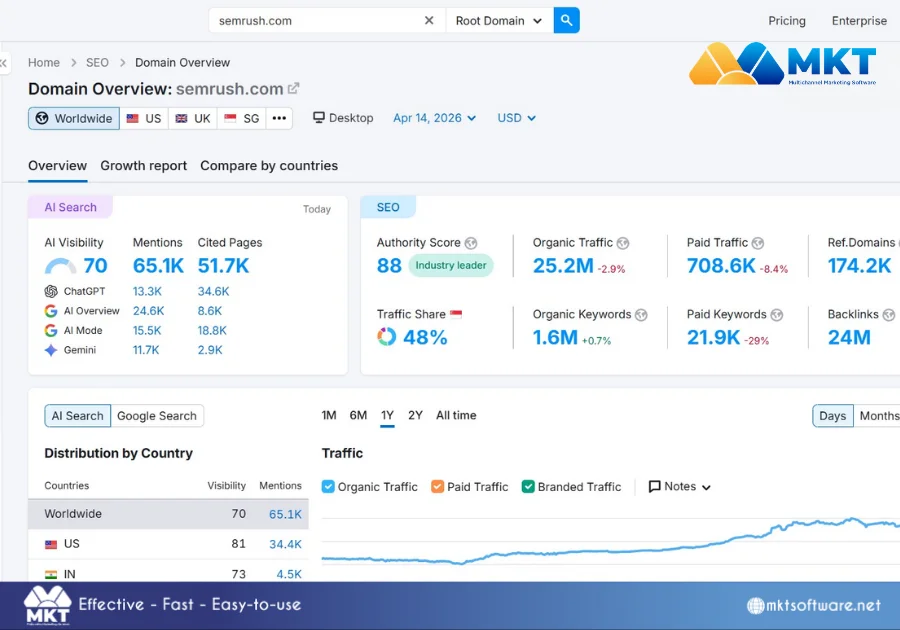
On the other hand, the Domain Overview tool in SEMrush can give you a quick, data-driven snapshot of your overall SEO performance to benchmark your current position. It essentially answers the question: “Where am I right now?” before you decide “What should I do next?”How to use SEMrush for SEO – Run a site audit
Step 2: Conduct keyword research and build a keyword list
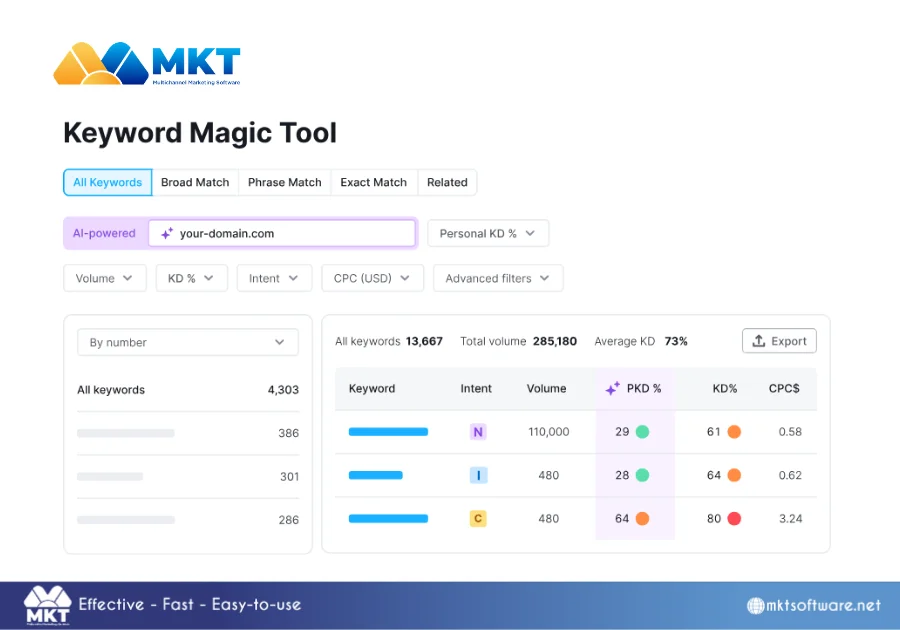
Once your technical foundation is stable, the next step is to identify the keywords that will drive your content strategy.With SEMrush’s Magic Keyword tool, you can start by analyzing a primary keyword and then expand into related variations. Instead of selecting keywords randomly, focus on 3 key factors:
Search intent: What the user is trying to achieve.
Keyword difficulty: How competitive it is.
Search volume: Potential traffic opportunity.
A more advanced approach involves building keyword clusters with the Keyword Strategy Builder tool, where multiple related terms are grouped under a single topic. This aligns with modern SEO practices, where search engines evaluate content based on topical depth rather than individual keywords.How to use SEMrush for SEO – Conduct keyword research
Step 3: Analyze competitors and identify opportunities
With an optimized keyword map in place, the next step is to analyze competitors who are already ranking for those terms. By entering competitor domains into SEMrush’s Competitive Analysis feature sets, you can examine:
Competitors’ top-performing pages.
The keywords driving competitors’ traffic.
Competitors’ backlink sources, and more.
The goal here is to identify patterns and gaps, at the same time, you should look for opportunities where competitors are underperforming. For example, you may notice that competitors are ranking with long-form content targeting specific keyword variations. In this case, you can respond by creating more comprehensive content, covering those keyword variations in greater depth for a better chance at ranking higher.How to use SEMrush for SEO – Analyze competitors
Step 4: Create and optimize content
Content creation is where your research is transformed into actual results. At this stage, your focus should be on producing content that satisfies both user intent and search engine requirements.SEMrush’s SEO Content Template can help you analyze top-ranking pages for your target keywords and extract actionable recommendations such as suggested content lengths or adding related keywords.Once the writing process begins, SEMrush’s SEO Writing Assistant can provide real-time optimization feedback by evaluating:
Keyword usage and distribution.
Readability score.
Tone of voice consistency.
Overall SEO optimization score.
How to use SEMrush for SEO – Create and optimize contents
Step 5: Build and analyze backlinks
After publishing optimized content, the next step is to strengthen its authority through backlinks. This is where SEMrush’s Backlink Analytics, Backlink Audit, and Link Building Tool come into play.The Backlink Analytics tool allows you to evaluate your current backlink profile in detail, and include information such as:
High-authority domains that are linking to your site.
Anchor text distribution.
Overall backlink growth trends, and more.
At the same time, the Backlink Audit tool helps detect potentially harmful or toxic links that could negatively impact your rankings. These links can then be reviewed and, if necessary, deleted.To actively build new links, SEMrush provides the Link Building Tool, which suggests backlink opportunities based on your keywords and competitors. It helps you identify websites that are likely to link to your content to manage backlink campaigns efficiently.How to use SEMrush for SEO – Build and analyze backlinks
Step 6: Track rankings and monitor performance
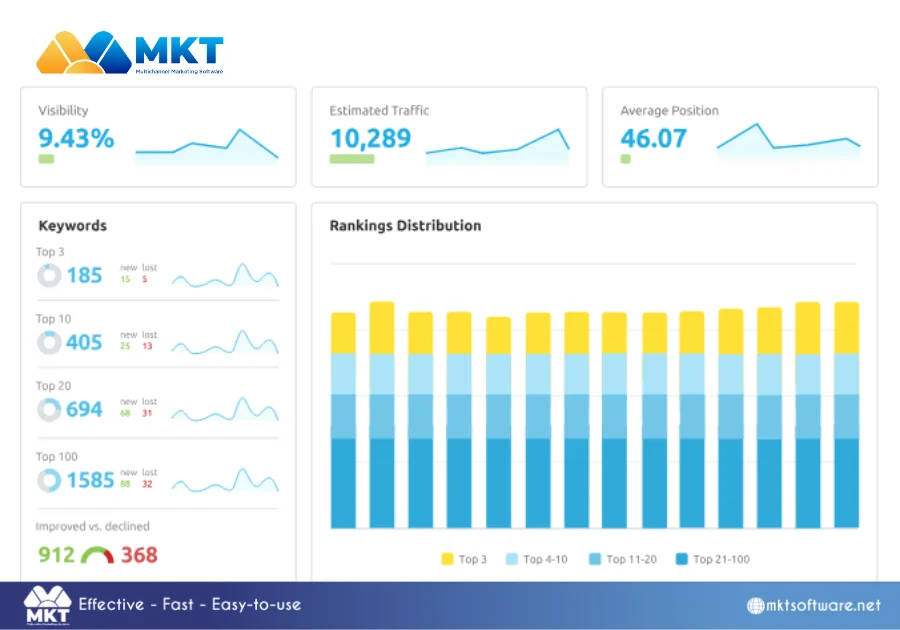
SEO is an ongoing process, and measuring performance is critical to understanding whether your strategy is effective. In SEMrush, this is primarily handled through the Position Tracking tool.The Position Tracking feature allows you to monitor:
Keyword rankings across specific locations and devices.
Visibility score (overall search presence).
Ranking changes over time.
Competitor performance for the same keywords..
Rather than focusing on short-term fluctuations, it is more effective to analyze long-term trends. This helps you determine whether your content and optimization efforts are consistently improving your rankings.How to use SEMrush for SEO – Track rankings and continue optimizing
Final thoughts
Learning how to use SEMrush effectively is about integrating them into a structured workflow to build a strong and sustainable SEO strategy. In today’s competitive digital environment, SEMrush can provide you with the tools needed to achieve success, but the results ultimately depend on how well you apply them.