If you are new to SEO tools, getting started with SEMrush might seem confusing at first, leading to the common inquiry: How do I access the SEMrush site? However, accessing the platform and setting up your account is actually a relatively quick and straightforward process.In this guide, MKT Softwarewill walk you through everything you need to know about getting started with SEMrush.
SEMrush is an all-in-one digital marketing platform used for improving website visibility on search engines. It provides tools for each different SEO area such as keyword research, backlink tracking and more.Due to the depth of data it provides and its wide range of features, SEMrush has become one of the most widely recognized SEO platforms in the industry, trusted by professional marketers around the world.SEMrush is an all-in-one digital marketing platform
How do I access the SEMrush site?
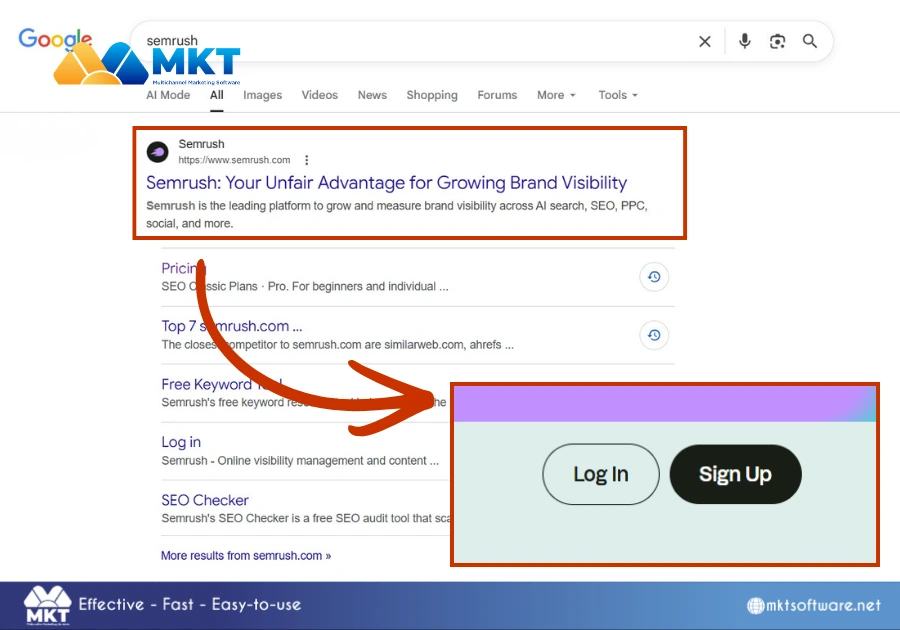
Accessing SEMrush is a very simple process and doesn’t require any technical setup. You can use it directly through your web browser without installing software. Below are the steps you can follow to easily access the SEMrush site:
Step 1: Open your preferred browser.
Step 2: Search for SEMrush or go directly to its official website at SEMrush.com.
Step 3: Click on the homepage link.
Step 4: Select Log in if you already have an account, or Sign up if you are new.
Once logged in, you will be directed to the main dashboard, where you can start using tools like Domain Overview, Keyword Research, and Site Audit.How do I access the SEMrush site?
How to create a SEMrush account?
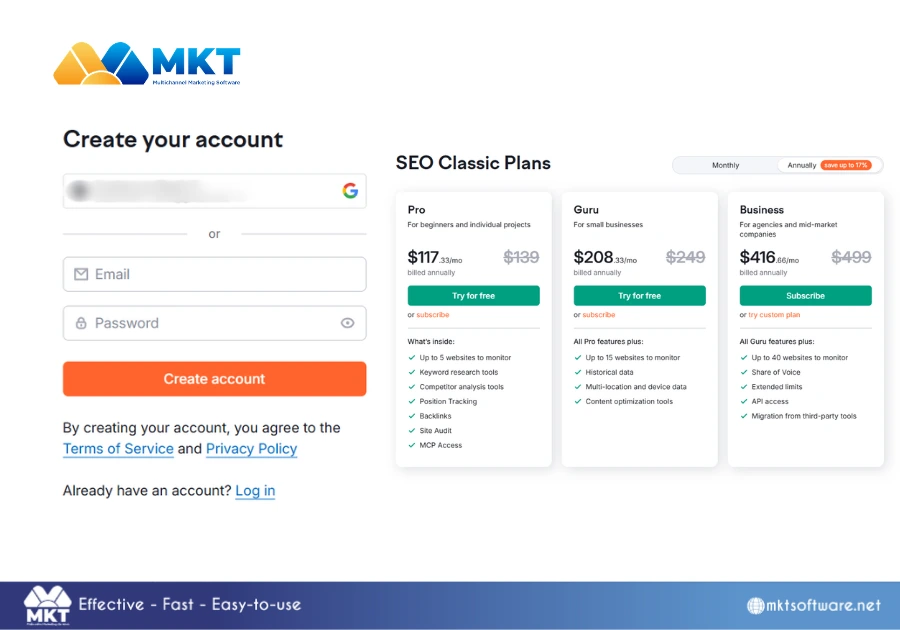
To access the full range of features in SEMrush, you need to create an account and subscribe to one of its paid plans. While a free version is available, its features are quite limited compared to what is offered in SEMrush pricing plans.Below are the steps to create an account and subscribe to a SEMrush plan:
Step 1: Go to the SEMrush website.
Step 2: Click on Sign up and enter your registration details.
Step 3: Verify your email address.
Step 4: Set up your account preferences such as your role or business type
Step 5: Choose among SEMrush’s pricing plans or start a free trial.
After logging in, you can begin setting up your first project and start utilizing all of SEMrush’s features to optimize your brand’s SEO performance.How to create a SEMrush account
Final thoughts
Accessing SEMrush is a quick and user-friendly process that requires only a browser and a few simple steps. Whether you are logging in or creating a new account, the platform is designed to get you started with minimal effort.