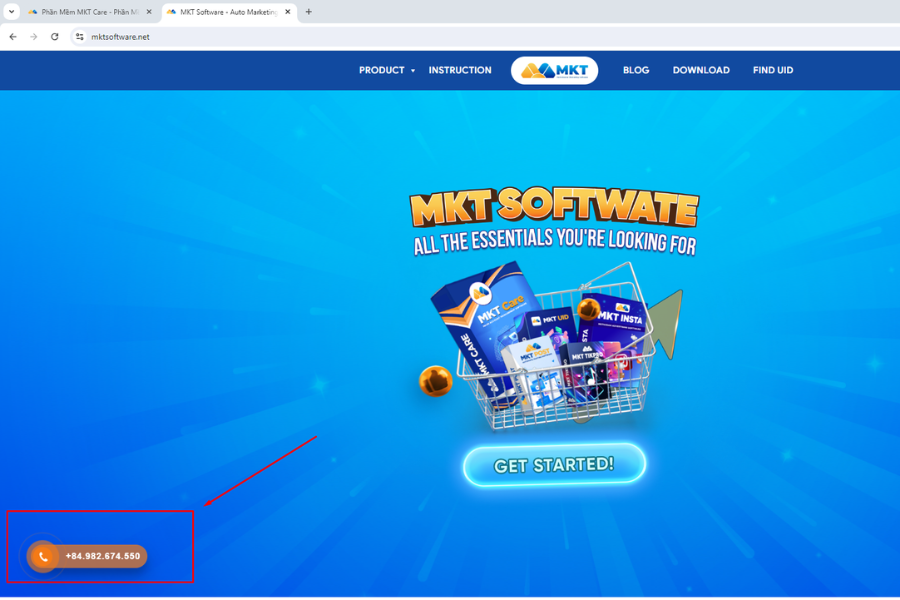
MKT Care is Facebook management software, raising Facebook accounts like real users, supporting online business and online sales effectively. Tools to support building online business systems and professional sales on Facebook. And in this blog, MKT Softwarewill guide you how to download and install MKT Care.
To download MKT Care Software, please follow these steps:
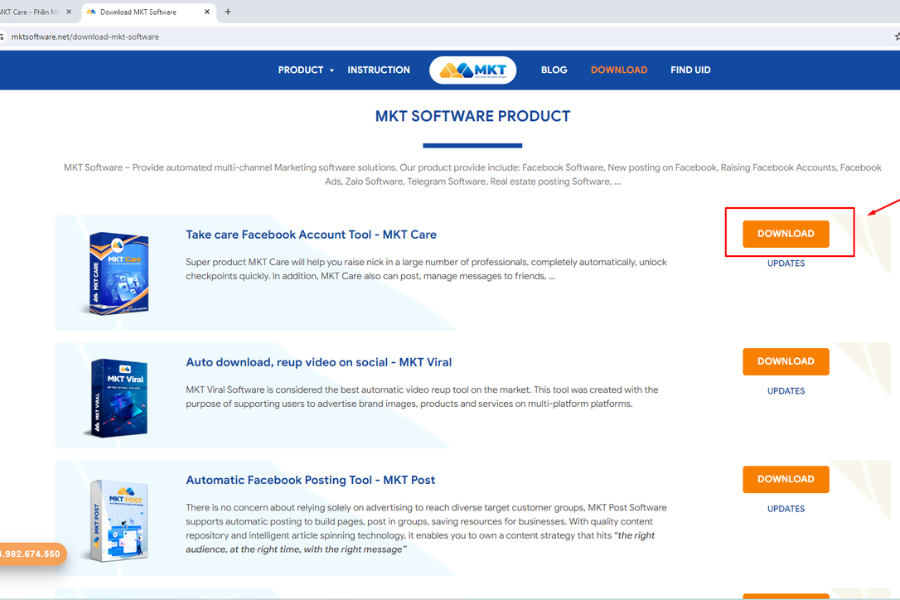
Step 1: Access this link to download mkt software
You can access using Google Chrome, Coc Coc or any browser,…
Step 2: Press the Download button here:
How to download MKT CareStep 3: Then the software download process will begin.
Guide to install MKT Care
To install MKT Care Software, please follow these steps:
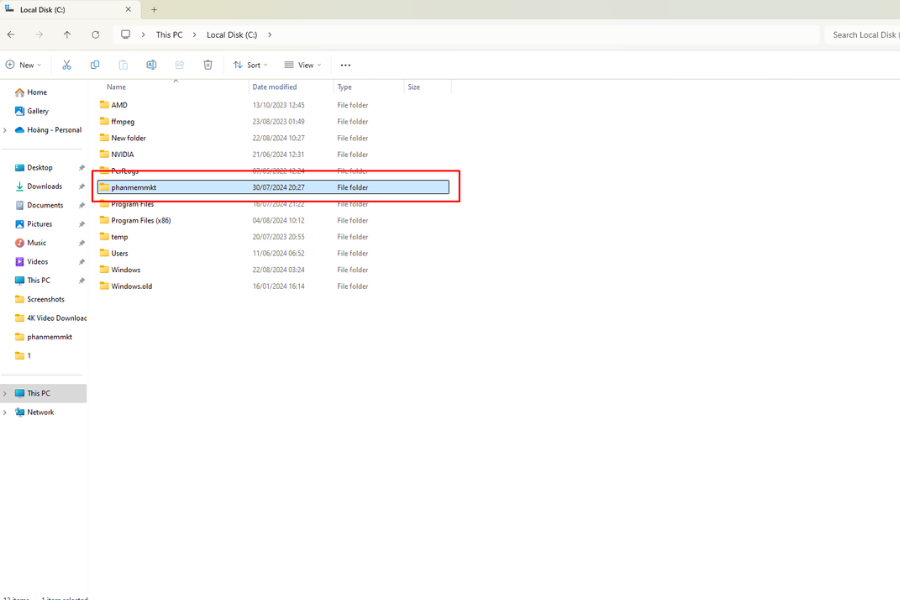
Step 1: Create a new folder on your computer and name it phanmemmkt.
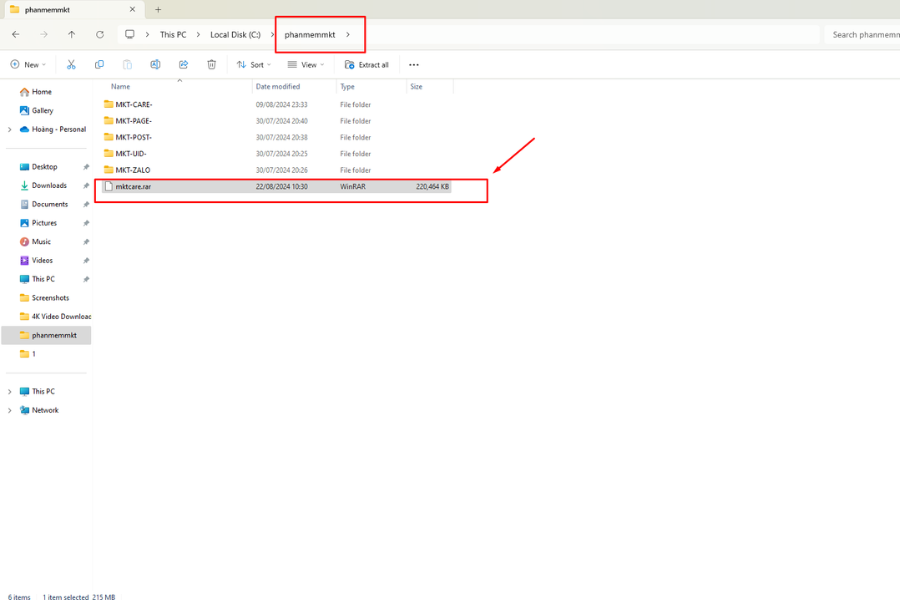
Step 1: Create a new folderStep 2: Store the downloaded file in the “phanmemmkt” folder you created.
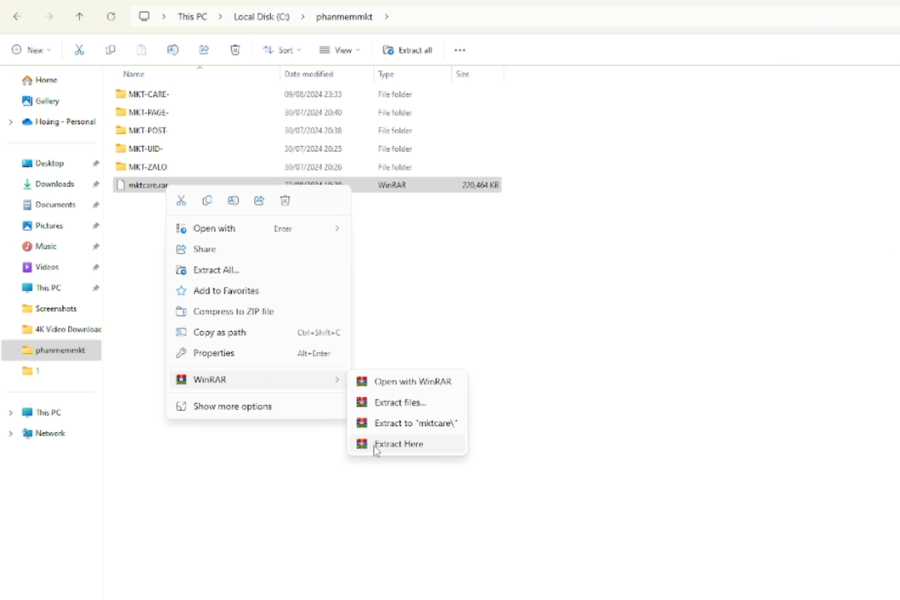
Step 2: Store the downloaded fileStep 3: Extract the downloaded software by pressing the Extract here button.
Step 3: Extract the downloaded softwareStep 4: After downloading, please contact MKT software to register an account to use the software
Step 4: Contact us
Above is the article guiding you on how to download and install MKT Care – Software for Automation Marketing On Facebook. We wish you success!
Contact Me:
► Fanpage Facebook:MKT Software – Auto Marketing Tool