MKT UID software is a powerful tool that helps you scan and collect UID (User ID) data from Facebook, serving automated marketing campaigns such as sending messages, making friends, and advertising on Facebook. Below are basic instructions about group scanning feature:
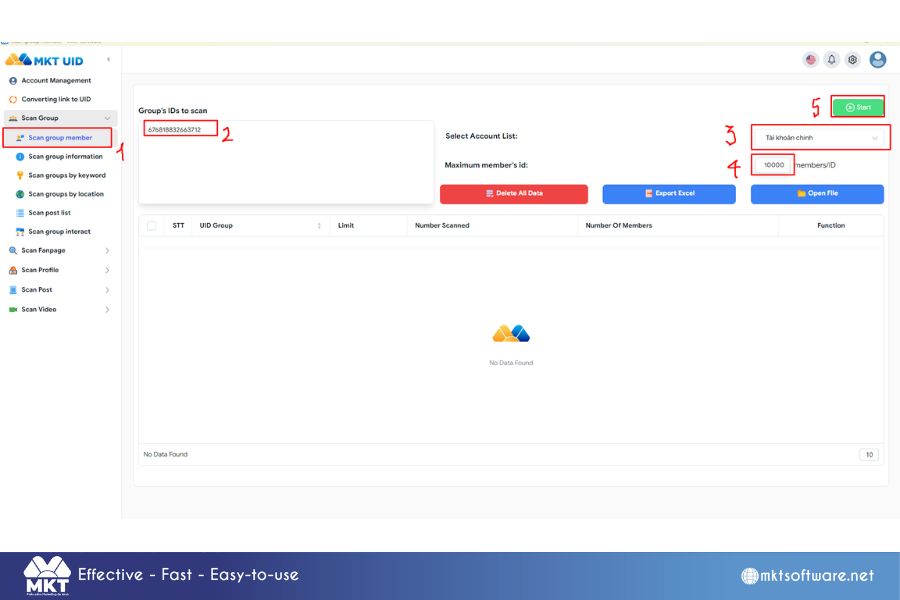
This feature will help you scan out the members of any group you want to scan. Below are the steps to scan group members.
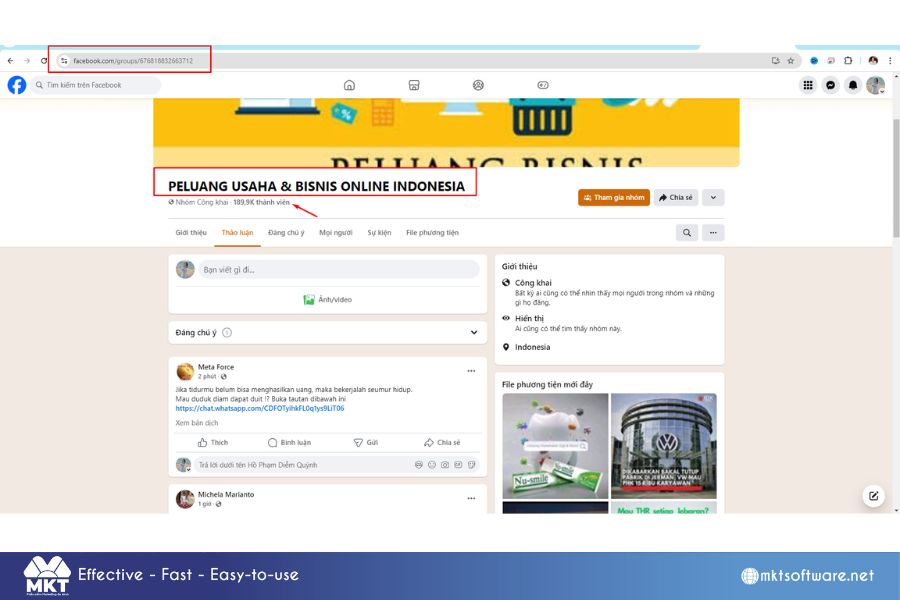
Step 1: Identify the group you want to scan
Identify the group you want to scan
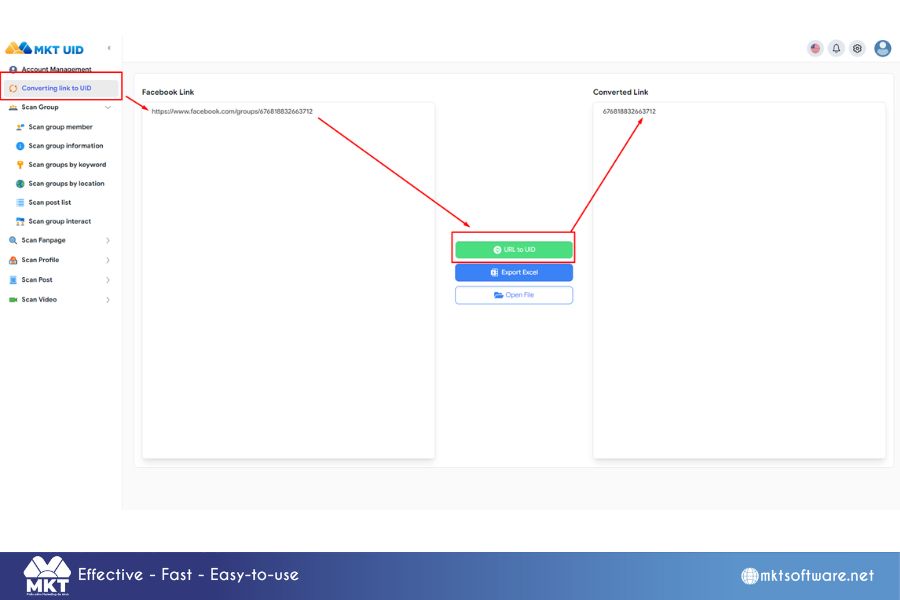
Step 2: Converting link to UID
Converting link to UID
Step 3: Scan group member
Scan group member
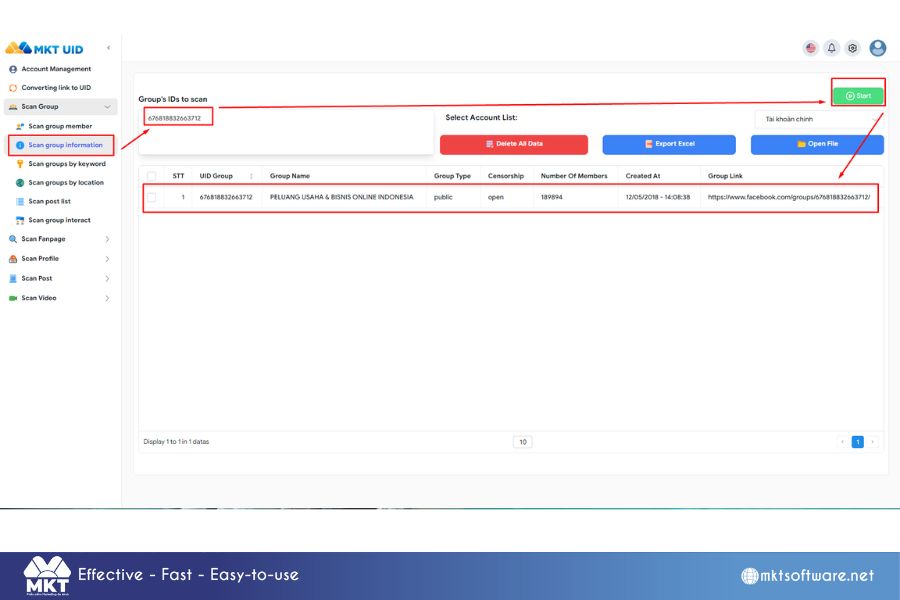
Scan group information feature
This feature will help you scan all group information such as: group name, group type, censorship, number of members, group creation time, group link.
Scan group information
Group scanning feature by keyword
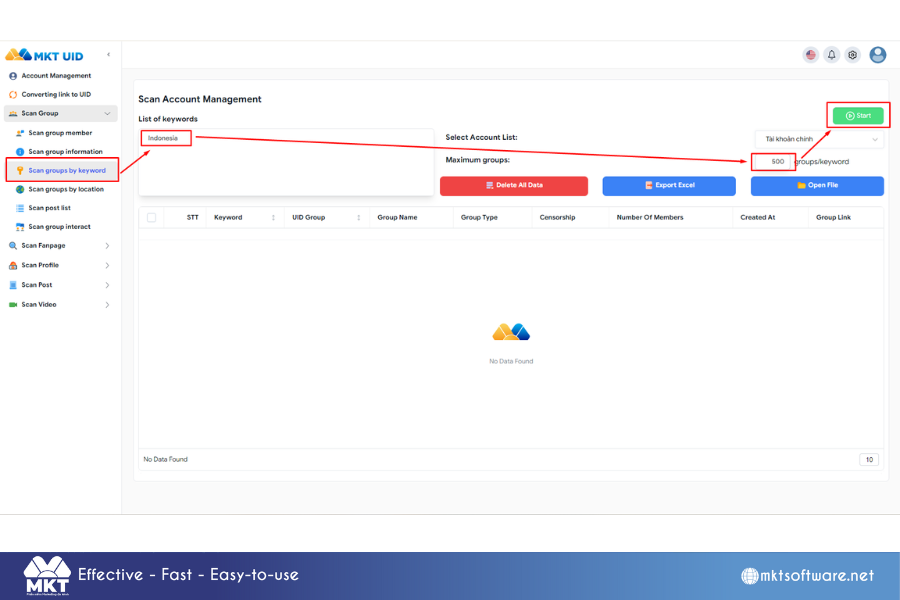
This feature will help you scan a large number of groups by keyword. Below are instructions on how to scan:
Scan group by keyword
You can export all the above information to an excel file to store on your computer.
In the above article, I have guided you through some group scanning features in MKT UID software.
Wish you success!
Contact Me:
► Fanpage Facebook:MKT Software – Auto Marketing Tool