In recent years, Instagram is no longer a platform meant solely for the purpose of sharing photos and videos. For many businesses, it has become a main communication channel with customers. Direct messages are used to answer questions, handle orders, provide support, and follow up with potential leads.As message volume grows, so does the demand for the ability to schedule a message on the platform. In this article,MKT Software will tell you how to schedule a message on Instagram.
Why do you need to schedule a message on Instagram?
When messages arrive at all hours of the day, replying manually can lead to delays, missed conversations, and lost opportunities. In today’s world, fast replies are highly important, especially for brands, as Instagram users often expect responses within minutes or hours, not days. When messages are delayed, customers may move on to another competitor.Some other common reasons to schedule messages on Instagram include:
Reducing manual reply work.
Improving response speed.
Handling messages outside business hours.
Managing high message volume.
Keeping communication consistent.
How to schedule a message on Instagram – Why is it necessary?
Can you schedule messages on Instagram?
The short answer is Yes, Instagram does support scheduling messages. However, there are some limitations. Understanding these limits is important to avoid confusion and errors while planning out your Instagram marketing strategy.
What you can schedule on Instagram
Instagram allows users to schedule a specific direct message (DM) to be sent at a chosen date and time, with the following conditions:
The message must be sent inside an existing DM conversation.
The message must be in a one-to-one conversation.
The message is written on the Instagram app version.
This works like a “send later” function and is useful for reminders, follow-ups, or time-specific replies.Instagram also supports other message-related automation features for Business account, for example:
Although Instagram supports scheduling for some types of messages, not everything on the platform can be scheduled. Below are the main things Instagram does not support scheduling for:
Replies to Story reactions: When users react to your Stories, those message replies cannot be scheduled in advance. These interactions are real-time and require manual handling.
Group DMs: Scheduling messages in group DMs is not supported natively. Scheduling is mainly designed for one-to-one conversations.
How to schedule a message on Instagram?
There are several practical methods to schedule messages on Instagram, depending on your needs and message volume. Below are the 3 simplest ways to schedule a message on Instagram:
Schedule directly in Instagram Mobile
Instagram’s built-in scheduling feature is the simplest and fastest method to schedule a message on Instagram. However, it only works inside the Instagram app and not the web version.To schedule messages on Instagram mobile, simply follow these next steps:
Step 1: Open the Instagram app on your phone.
Step 2: Go to your direct messages section.
Step 3: Open the conversation you want to message.
Step 4: Type your message as usual.
Step 5: Press and hold the Send button.
Step 6: Select Schedule message.
Step 7: Choose the date and time.
Step 8: Choose Confirm to schedule.
How to schedule a message on Instagram mobileThe message will be sent automatically at the selected time. You can view, cancel or make any edits before it is delivered. However, there are some notable limitations with this method:
No bulk or mass scheduling: Instagram’s native scheduling only works for 1 message in 1 conversation at a time. You can’t schedule the same message for multiple chats or prepare a batch of messages to be sent automatically.
Limited scheduling window: Messages can only be scheduled within a short time frame set by Instagram, typically up to the next 30 days.
Manual process for each chat: Every scheduled message must be created and scheduled individually inside each conversation.
Use Instagram Business tools
For business accounts, Instagram offers features that support faster and more organized messaging, although they are not full scheduling tools. In general, for Business account, Instagram allows users to schedule:
Away messages
Away Messages are used to inform customers when you are not available, such as outside business hours. These messages are sent automatically based on a schedule, and will immediately go off whenever business hours resume.Steps to set up Away messages include:
Step 1: Open Instagram.
Step 2: Go to your profile.
Step 3: Tap the menu (three lines).
Step 4: Select Settings and activity.
Step 5: Go to For professionals.
Step 6: Tap Business tools and controls.
Step 7: Select Away Message and toggled ON.
Step 8: Set your business hours or custom time range.
Instant replies
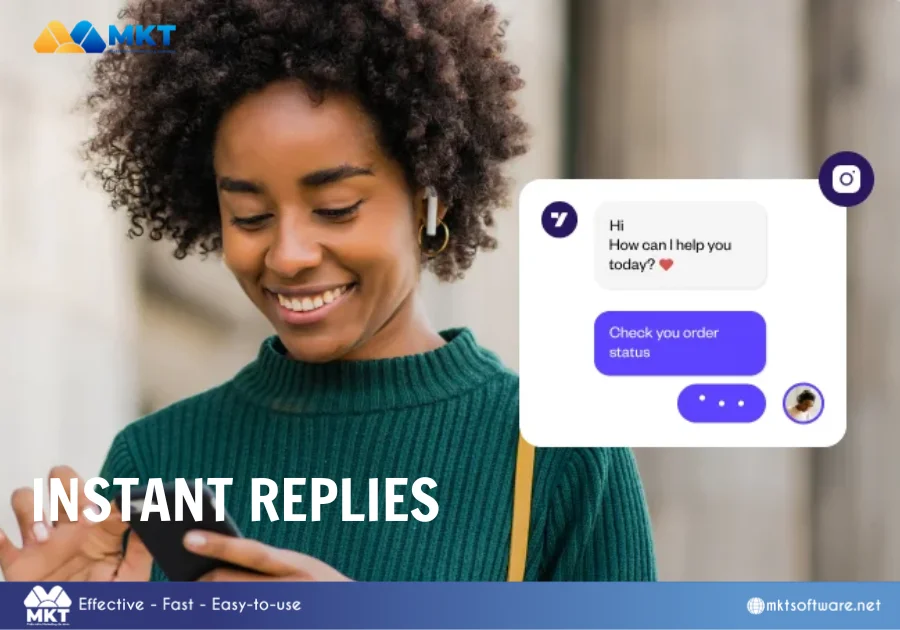
Instant replies are automatic messages sent immediately when someone sends you a new message for the first time. They are useful for greeting customers and setting expectations, but it is important to note that instant replies can only be sent once per conversation.Below are the steps required to set up Instant replies on Instagram:
Step 1: Open the Instagram app.
Step 2: Go to your profile.
Step 3: Tap the menu in the top-right corner.
Step 4: Select Settings and activity.
Step 5: Go to For professionals.
Step 6: Tap Business tools and controls.
Step 7: Select Instant Reply.
Step 8: Toggle Instant Reply ON.
How to schedule a message on Instagram with Instant replies
FAQ-based responses
FAQ-based responses allow businesses to create pre-written answers that are triggered when users tap a question or enter specific keywords. This helps brands respond to common enquiries more quickly, while reserving human effort for more complex cases.Steps to set up FAQ-based responses include:
Step 1: Open the Instagram app.
Step 2: Go to your profile.
Step 3: Tap the menu (three lines).
Step 4: Select Settings and activity.
Step 5: Go to For professionals.
Step 6: Tap Business tools and controls.
Step 7: Select Frequently Asked Questions.
Step 8: Tap Add Question.
Step 9: Enter a common customer question.
Step 10: Write the automatic response.
Use external tools for advanced scheduling
Instagram’s built-in tools are helpful for basic messaging, but they are designed mainly for small-scale use. As message volume grows or workflows become more complex, many businesses reach a point where native features are no longer enough. This is when external tools become necessary.External tools are software solutions that connect to Instagram accounts and provide advanced message scheduling, automation, and management features. They are commonly used by businesses, agencies, and sellers who rely heavily on Instagram messages for communication, sales, or support.
Mass scheduling unlimited messages with MKT Insta
MKT Insta is designed for businesses that need to schedule and manage Instagram messages at scale. It goes beyond basic scheduling, and supports automation while keeping operations structured.Unlike native Instagram scheduling, MKT Insta allows users to prepare large volumes of messages and schedule them without manual repetition.Other key features of MKT Insta include:
Bulk Message Scheduling: The software supports scheduling messages in bulk, allowing the same or similar messages to be sent to multiple recipients based on defined conditions.
Multi-Account Message Management: MKT Insta supports managing and scheduling messages across multiple Instagram accounts from a singular system.
Centralized message management, helping users track conversations and scheduled messages from one place.
Account Safety and Checkpoint Support: The tool includes account safety features designed to help users handle Instagram security checks and reduce the risk of account interruptions.
How to schedule a message on Instagram with MKT Insta
Choosing the right way to schedule Instagram messages
Scheduling messages on Instagram is not as simple as scheduling posts, but it is still achievable through different methods. Native Instagram features provide basic automation, manual planning offers limited support, while third-party tools can unlock full scheduling capabilities.By choosing the right method and managing messages carefully, businesses can improve response time, reduce workload, and create a better experience for their Instagram audience.Visit our YouTube channel for more automated marketing solutions.