Instagram is one of the most popular entertainment platforms today, with users turning to it for quick moments of relaxation and lighthearted distraction from daily routines. As a result, nothing is more disheartening than opening Instagram and realizing your feed isn’t updating. In this article,MKT Softwarewill explain the exact reasons why your feed isn’t refreshing, as well as 7 tips to fix Instagram feed not updating.
Normally, Instagram will automatically refresh your posts if you swipe down your feed from the top and release it on the app version; or manually click on the reload icon on the web version.When these methods don’t work and your Instagram feed just keeps repeating old posts, it usually points towards technical issues, wrong account settings, or platform-wide changes. Instagram’s feed is dynamically generated based on user behavior, network conditions, and algorithmic signals. If any part of this system is disrupted, the feed may stop refreshing properly. Some primary reasons behind Instagram feed not updating include:
Poor internet connection: Instagram relies on a stable internet connection to load and refresh content in real time. When the connection is weak, unstable, or frequently disconnecting, the app may fail to retrieve new posts from Instagram’s servers.
Outdated app version: Using an outdated version of the Instagram app can cause compatibility issues with Instagram’s servers. Older versions may lack bug fixes, performance improvements, or updates required to support recent platform changes.
Out of RAM storage: Insufficient RAM or device storage can prevent Instagram from running smoothly. When a device is low on memory, background processes may be terminated or fail to load properly, affecting feed updates.
Account restrictions: Instagram may temporarily restrict accounts that show unusual or excessive activity, leading to Instagram feeds not updating.
Server-wide problems: Sometimes the issue doesn’t lie at the users’ side, but due to the server’s fault. Instagram occasionally experiences server outages or technical issues that can affect large numbers of users at the same time.
Why is Instagram feed not updating
How to fix Instagram feed not refreshing
It is important to identify the underlying reasons for why your Instagram feed isn’t updating, as the most effective solution will depend on the root cause of the issue. For example, if the issue lies at the server’s fault, there isn’t much you can do aside from waiting for Instagram to resolve the problem on their own.If you are unable to identify the root cause of your Instagram feed not updating, you can check out the following troubleshooting methods to resolve Instagram feed update issues:
Check the Internet connection
Instagram requires a stable internet connection to load new content. As a result, having weak Wi-Fi signals or unstable mobile data often prevent feeds from refreshing. To resolve this, you can try switching between Wi-Fi and mobile data, or test your connection by loading other apps or websites.How to fix Instagram feed not updating – Check your Internet
Refresh the app properly
Sometimes the feed does not refresh because the app is running in the background. Fully closing Instagram and reopening it instead of simply pulling down to refresh will force the app to reload data from Instagram’s servers, thus updating your feed.
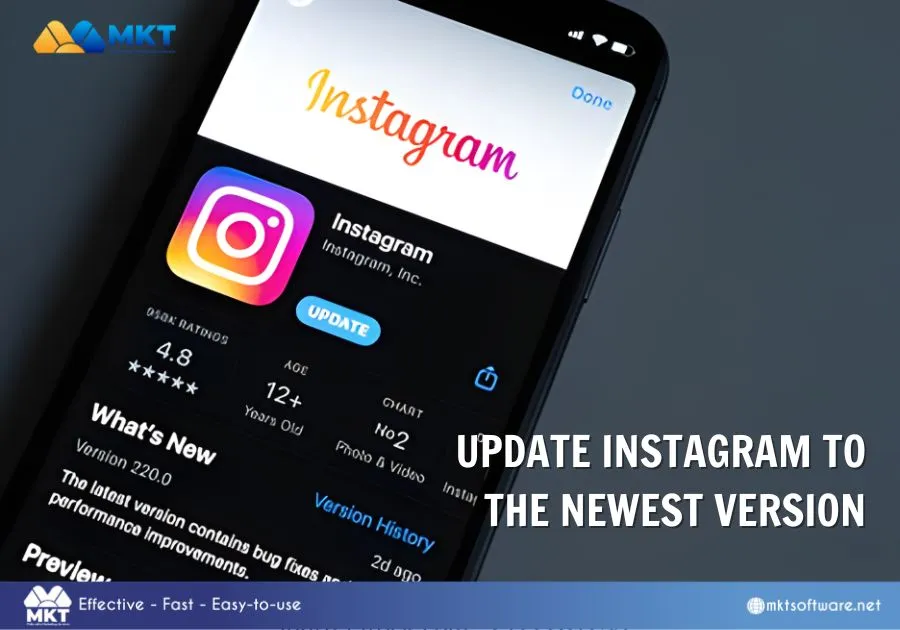
Update Instagram to the newest version
Outdated app versions frequently cause feed issues as Instagram releases regular updates to fix bugs and improve performance. Visit the App Store or Google Play Store and remember to ensure that you are running the latest version.How to fix Instagram feed not updating – Update Instagram to newest version
Clear device’s cache
Corrupted cache files can interfere with feed updates. To remove cache, follow the next steps:
Step 1: Go to Settings.
Step 2: Access Apps then Instagram.
Step 3: Open Storage.
Step 4: Click on Clear Cache.
This will help remove temporary data without deleting your account information, allowing for the feed to continue refreshing as normally.
Log out and log in again
Logging out refreshes your session and can resolve account-related sync issues. After logging back in, Instagram will rebuild your feed from the server data, thus restoring normal updates.
Restart the device
A simple device restart can resolve background process issues affecting Instagram. This is especially useful if the feed issue appeared after prolonged device usage.How to fix Instagram feed not updating – Restart your device
Review account activity
Unusual activity can trigger temporary account limitations from Instagram. And while the platform may not notify users directly, these restrictions can affect feed behavior. To resolve this, try to reduce unusual activity like excessive likes, followings,… and wait from 24 to 48 hours to fix the issue.
Frequently asked questions
An Instagram feed that won’t update can be frustrating and disruptive to your browsing experience. To help minimize the hassle, we’ve answered some of the most frequently asked questions about Instagram feed issues below:
Does Instagram limit feed updates?
Instagram does not limit feed updates in a traditional sense, but it does prioritize content based on the algorithm’s preferences. The feed is curated based on engagement history, relationships, and relevance. As such, if fewer new posts align with your interests or interactions, your feed may appear stagnant even though it is functioning normally.
Is Instagram down right now?
The answer is No, Instagram is not down right now. While Instagram outages do occur, they are usually short-lived. When servers experience issues, users may see blank feeds, error messages, or feeds that do not refresh. These outages typically affect large numbers of users at once.If many people are reporting similar issues on social platforms or outage tracking websites, the best solution is to wait until Instagram resolves the problem as no local fixes will work during a server-side outage.Instagram feed not updating – Is Instagram down right now
Why is my Instagram feed not showing new posts?
If your feed is not showing new posts, it may be due to algorithmic filtering or a technical error as mentioned above. Instagram prioritizes content from accounts you interact with most. If you haven’t engaged with certain accounts recently, their new posts may not appear immediately.Another possibility is that content from followed accounts is limited or infrequent. In such cases, Instagram may show older or recommended posts instead of fresh ones.
Instagram feed not updating
An Instagram feed not updating can stem from simple technical issues, account-related restrictions, or temporary platform outages. In most cases, the problem can be resolved by quick methods like mentioned above. Understanding how Instagram’s feed works, and how it prioritizes content, also helps set realistic expectations.If the issue persists after trying all fixes, it is usually best to wait, as many feed update problems are resolved automatically by Instagram within a short period. Staying patient and maintaining normal usage patterns is often the most effective solution.You may be interested in: 13 best social media Ad campaigns examples of all timeTo learn more, visit our YouTube channel.