Although it is just a string of numbers, a Facebook UID plays an important role in helping online businesses access and leverage potential customer data effectively. In this article, MKT Software will help you understand what a Facebook UID is and provide a complete A–Z guide on how to retrieve it.
A Facebook UID (User ID) is a unique numerical identifier that Facebook assigns to each user account. It works similarly to a personal ID number—completely unique, non-duplicated, and unchangeable.In addition to user profiles, every piece of content on Facebook—including images, posts, groups, and fanpages – also has its own distinct UID.Facebook UID is a unique numerical identifier that Facebook assigns
II. Why Is Facebook UID Important?
Compared to finding someone’s email address or phone number, retrieving a Facebook UID is much easier. Despite being just a numeric string, it provides significant value, especially for marketers and online sellers.Here’s how Facebook UID can be used:
Extract user information: By scanning UIDs, you can access publicly available data such as phone numbers, emails, or gender (if shared), without manual searching.
Expand connections: A UID allows you to connect with a user’s network, including friends, groups, and communities they engage with.
Analyze customer behavior: UIDs help track user interests, interactions, and engagement patterns, enabling better content and marketing strategies.
Support analytics tools: Some tools, such as Facebook Audience Insights, may use UID data to analyze target audiences more effectively.
Facebook UID provides significant value, especially for marketers
III. 5 Simple Ways to Get Facebook UID
Common types of Facebook UIDs include personal profile UIDs, fanpage UIDs, and group UIDs, with each serving different purposes depending on your marketing or research goals. Below are 5 practical and easy-to-follow methods to retrieve these UIDs effectively:
1. Get UID from a Personal Facebook Profile
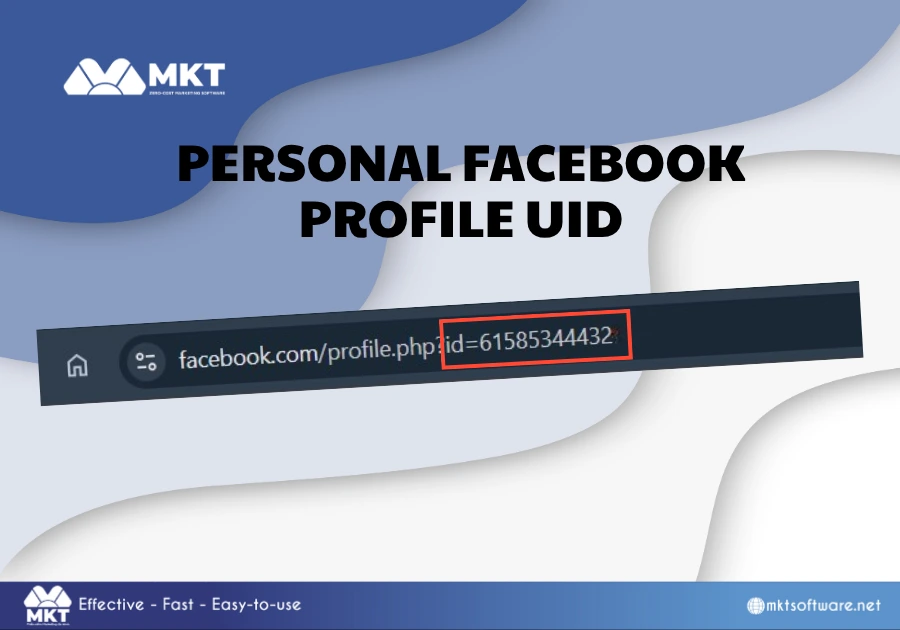
Every personal Facebook account is assigned a unique numeric ID, typically in the form of a long string of numbers (for example: 100000000000000). This UID allows you to identify and track a specific user within Facebook’s system.To retrieve a personally UID manually, you can follow these steps:
Step 1: Visit the Facebook profile you want to analyze.
Step 2: Look at the URL, if it contains a numeric string, that is the UID.
How to get Facebook UID from a Personal Profile
2. Get UID from a Facebook Fanpage
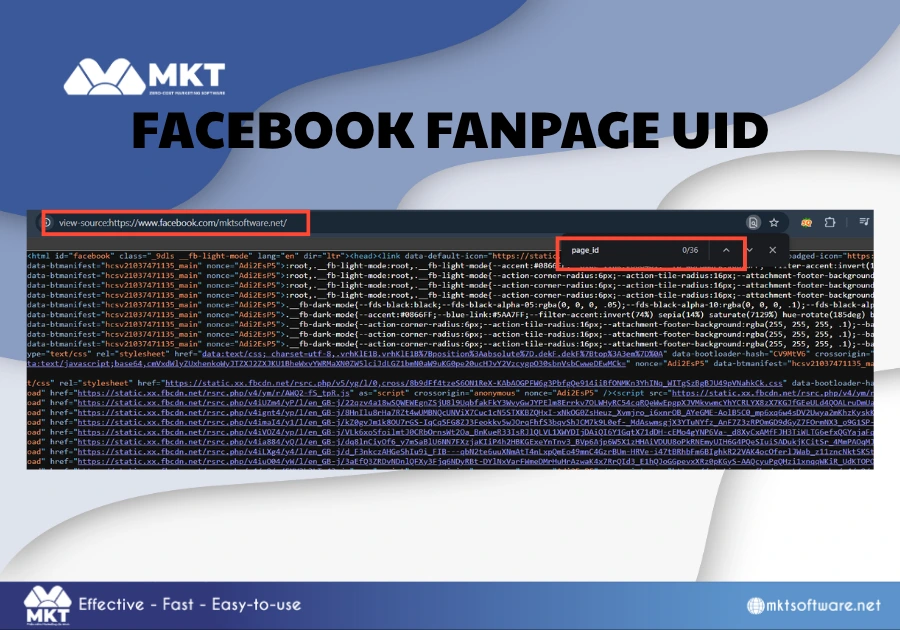
Fanpages also have their own unique UIDs, which are often used in marketing activities such as analyzing competitors, tracking engagement, or building targeted customer lists. To gather a Fanpage UID, follow the below steps:
Step 1: Open the fanpage.
Step 2: Select View Page Source (Ctrl + U on Windows/ Cmd + Option + U on Mac).
Step 3: Press Ctrl + F.
Step 4: Search for entity_id or page_id.
How to get Facebook UID from a Fanpage
3. Get UID from a Facebook Post
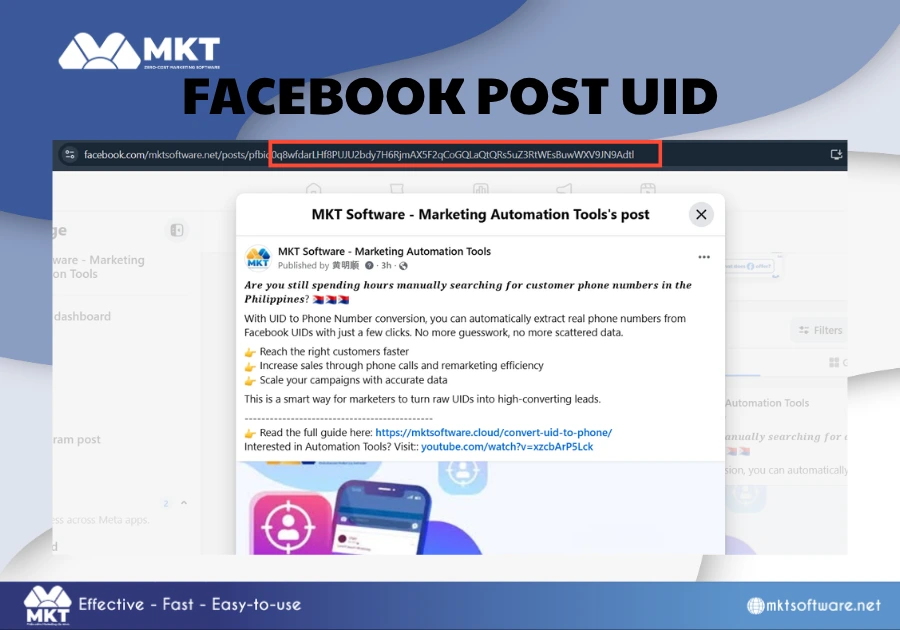
Each Facebook post is assigned a unique identifier, which can be extremely useful for tracking engagement, analyzing content performance, or collecting data from users who interact with specific posts.To get a Facebook Post UID, simply follow these steps:
Step 1: Locate the post and click on the timestamp to open its dedicated link.
Step 2: Check the URL in your browser – the UID will appear as part of the link, after fbid=.
How to get Facebook UID from a Post
4. Use a Website to Retrieve Facebook UID
In many cases, profiles and fanpages use custom usernames instead of numeric IDs, making it impossible to retrieve the UID directly from the URL. To solve this, you can use third-party tools designed to convert Facebook links into UIDs:
Step 1: Copy the profile or fanpage URL.
Step 2: Visit:findidfb.com
Step 3: Paste the link into the search box and click Search.
Step 4: Wait a few seconds for the system to return the UID.
5. Scan Facebook UID in Bulk with MKT UID Software
If you need to collect a large number of UIDs to build a customer database, manual methods can be time-consuming and inefficient. In this case, using automation software like MKT UID can be the more effective solution.The process to use MKT UID is relatively simply, simply follow these steps:
Step 1: Log in to MKT UID → Select “Profile Scanning” → Choose “Search Profiles by Keyword”
Step 2: Enter your keyword list → Select the number of profiles per keyword → Click “Start”
Step 3: Wait a few minutes for the system to process and return the UID list.
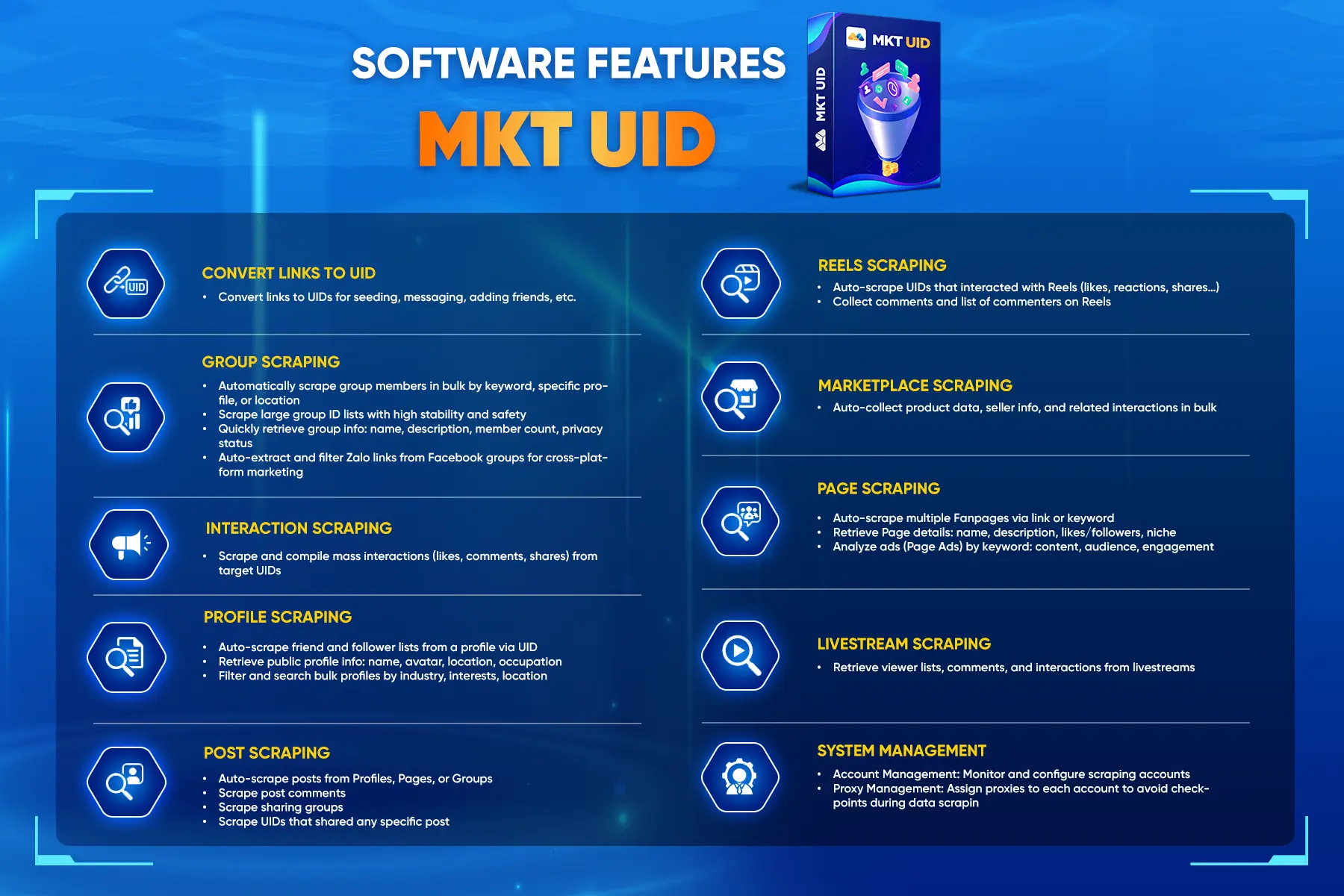
Beyond keyword-based scanning, MKT UID also offers a wide range of advanced features that can significantly enhance data collection capabilities such as:
Extract UIDs of users interacting with posts in groups or fanpages.
Scan UIDs from posts across profiles, groups, and pages.
Collect fanpage and group UIDs based on keywords.
Retrieve UIDs of users who like a fanpage.
Scan friend lists from specific accounts.
MKT UID offers a wide range of advanced features for Facebook marketers
Conclusion
Understanding what a Facebook UID is and how to retrieve it can significantly improve your marketing and online business strategies. With the 5 methods outlined above, you can efficiently collect and build a high-quality customer database. See more: How to convert UID to phone number with just 4 simple steps