Are you looking to extract phone numbers from Facebook UIDs for customer care, advertising campaigns, or sales data generation?In this article, MKT Softwarewill guide you through a simple and effective process to convert UID to phone numbers, while ensuring that all data is handled responsibly and in line with ethical practices.
I. When Can a UID Be Used to Retrieve a Phone Number?
It’s important to note that you can retrieve a phone number from a Facebook UID only if the user has made their phone number publicly available on their profile or has linked their account to services that allow such lookups.A UID (User ID) is a unique identifier assigned to every Facebook account. Profiles, fan pages, posts, and even Reels can all be converted into standardized UIDs.Collecting UIDs is completely legal because they are part of Facebook’s publicly accessible data through shared links. However, it’s important to understand:
A UID itself does not contain a phone number
Phone numbers can only be retrieved if users have chosen to make them public
UID scanning tools (such as MKT UID) are used to collect, filter, and standardize data, not directly extract phone numbers
You may be interested in: What is Facebook and how does it work? When Can a UID Be Used to Retrieve a Phone Number?
II. How to convert UID to phone number on Facebook (Step-by-Step)
The process typically includes four main steps: Scan UID → Filter UID → Look up phone numbers → Export & use data
Step 1: Bulk UID Scanning with MKT UID
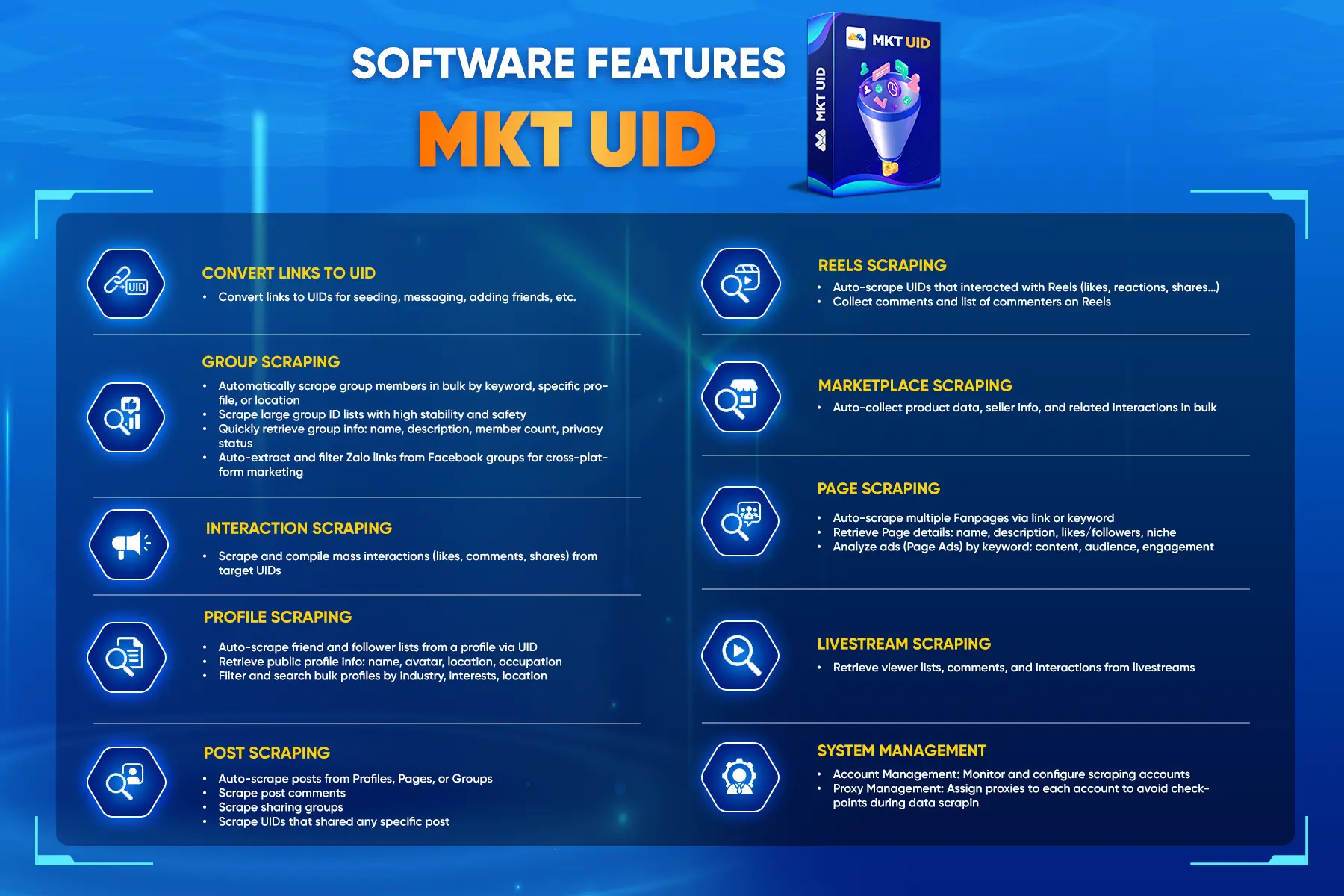
The first step is to identify the Facebook accounts you want to target and convert them into UIDs. While it is possible to retrieve UIDs manually through websites like Findidfb, this approach is often time-consuming and inefficient.To streamline this process, using a tool like MKT UID is a much more effective solution. This software automates the entire workflow, allowing you to collect and process large volumes of data quickly while improving accuracyMKT UID’s key features include:
Convert any Facebook link (profiles, fan pages, posts, Reels) into accurate UIDs.
Extract member lists from public groups you’ve joined.
Collect UIDs of users who interact (likes, comments, shares) with posts or Reels.
Filter out duplicate, inactive, or low-quality UIDs.
Export clean data into CSV or Excel files for further processing.
MKT UID helps you build bulk Facebook UID list
Step 2: Filter and clean your UID List
After collecting your UID list, the next step is to refine the data so that it aligns with your campaign goals. Not all collected UIDs will be useful, so filtering is essential to improve targeting accuracy. At this stage, you can do the following:
Remove invalid or inactive UIDs.
Eliminate irrelevant users who don’t match your campaign goals.
Segment users based on engagement behavior or source (e.g., beauty groups, tech discussions).
This step helps you build a clearer profile of your target audience and improves overall campaign efficiency.Not all collected UIDs will be useful – filtering is important
Step 3: Look Up Phone Numbers from UID
Once your UID list has been cleaned and refined, you can move on to retrieving phone numbers using legitimate lookup tools such as Fbuid.net.You can follow the below steps:
Step 1: Prepare your cleaned UID file from MKT UID.
Step 2:Upload or input the UID list into the lookup tool.
Step 3: The system will return any publicly available phone numbers linked to those UIDs (if available).
Step 4: Export and Use Data Responsibly
After successfully retrieving phone numbers, the final step is to manage and use this data in a responsible and ethical manner. Simply having access to contact information does not mean it should be used without consideration. Take into considerations the following:
Avoid spamming or sending unsolicited messages.
Do not make intrusive or repeated calls.
Use the data for ethical marketing purposes, such as customer care or targeted outreach.
Responsible data usage not only protects your brand reputation but also ensures compliance with privacy standards.Responsible data usage protects your brand reputation complies with privacy laws
Conclusion
A Facebook UID does not automatically provide a phone number. These tools simply help you collect and organize publicly available data before performing a lookup. By following the correct process, you can build a high-quality customer database that supports effective remarketing and customer engagement strategies, all while staying compliant and ethical.